
New logo? Every card follows, with no reprints
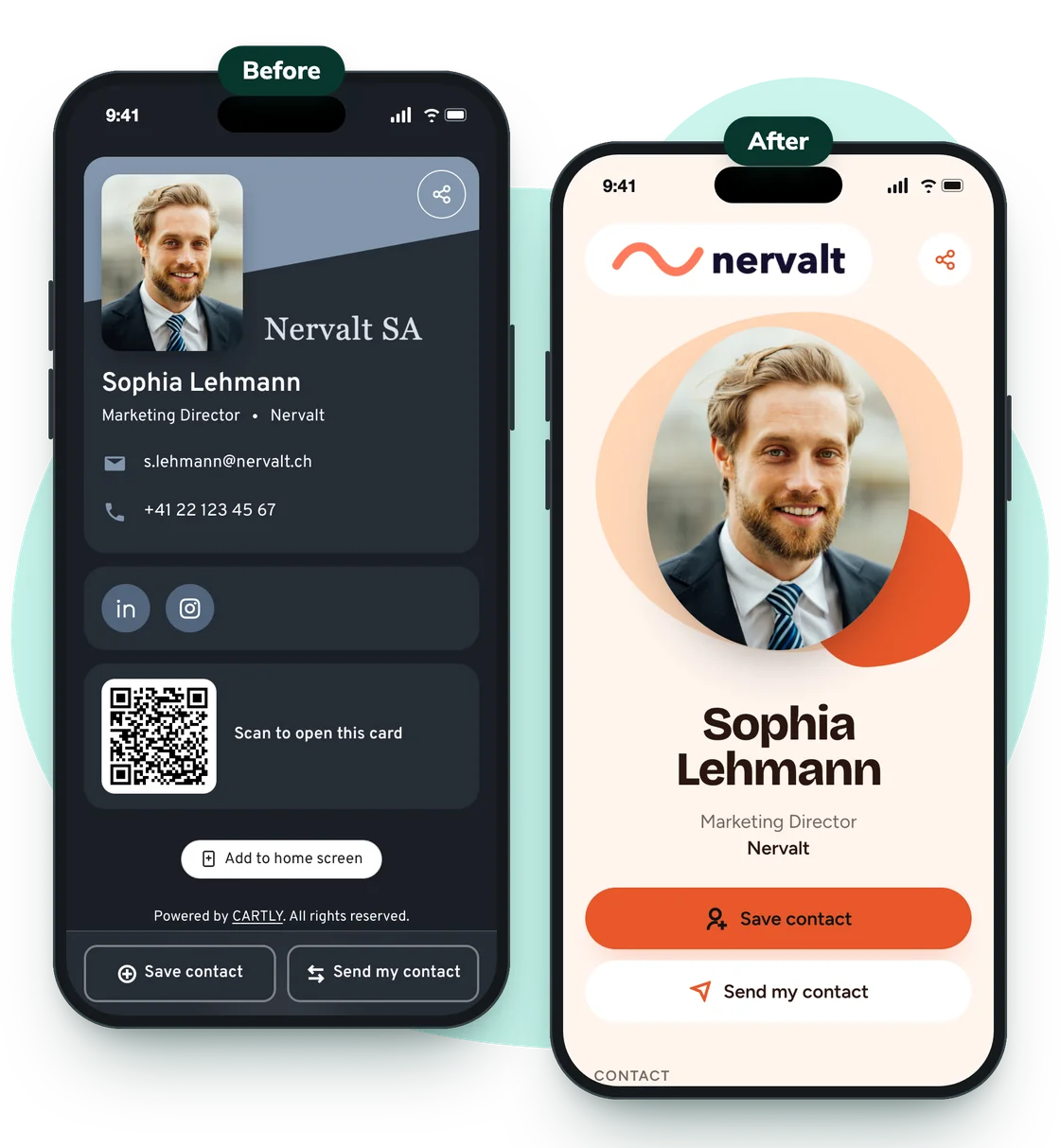
A merger, a new logo, refreshed brand guidelines: with paper cards, every team member waits for a reprint. With CARTLY, you update the team’s template once, and every card shows the new identity.
- Free 30-day Pro trial
- No credit card
One template per team, locked fields
Pick one of our many templates, then set the font, colors, background and buttons. Turn on your company logo on every card.
For each team, you decide field by field what team members can change: your brand stays consistent without manual checks.
- A design per team: headquarters, a subsidiary or a brand can each have their own.
- Locked fields: set one value for the whole team or prevent changes.
- Team banner: announce the new brand on cards and in email signatures.

What changes, and what you don’t have to redo
The cards
The new template applies to the whole team’s cards: nothing to recreate, nothing to reprint.
Learn moreEmail signatures
Generated from the card for Outlook, Gmail and Apple Mail; as a live picture, they follow the card on their own.
Learn moreQR codes already shared
They still lead to the online card, which now shows the new identity.
Your new identity, rolled out in four steps
Update the template
Logo, colors, font and buttons, once for the team.
Check permissions
Lock the fields that must stay the same for everyone.
Add a banner
Announce the new brand on cards and in email signatures.
Measure
Track views and clicks in your analytics.
Frequently asked questions
Do we need to recreate each team member’s card?
No. You change the team’s template, and team members’ cards follow.
Can we get a custom card design?
Yes, as an option with CARTLY Business: our designers create a unique template for your brand.
A subsidiary keeps its own logo: is that possible?
Yes. Create a team for that subsidiary, with its own design and permissions.
Explore other use cases
Launch your new identity without reprints
Free 30-day Pro trial for up to 30 team members, no credit card required.