
Digital business card: create yours and share it with a scan
A digital business card is a web page in your name that opens on any smartphone. People open it by scanning a QR code or tapping a link, and save your contact details in one tap, without an app. With CARTLY, you create yours in a few minutes, for free, and it stays up to date for good.
- Free for one card
- 30-day Pro trial
- No credit card
- No app to install

How to create a digital business card in 4 steps
No designer, no printer, no delivery time. Your card is online before you finish your coffee.
Create your account
Your name and an email address are all it takes. No credit card required.
Add your contact details
Name, job title, phone, email, website, address and social media. Add your photo and your logo.
Choose your design
Colors, typography and layout that match your brand, from our many templates with the Pro plan.
Share it
Your QR code and unique link are generated automatically. With the Pro plan, add the card to your Wallet and your email signature.
The result: a professional card that opens on every smartphone, and that you can customize at any time.
Everything your contact finds on your card
A CARTLY card is a mobile page in your colors. Here is the demo card, from top to bottom.
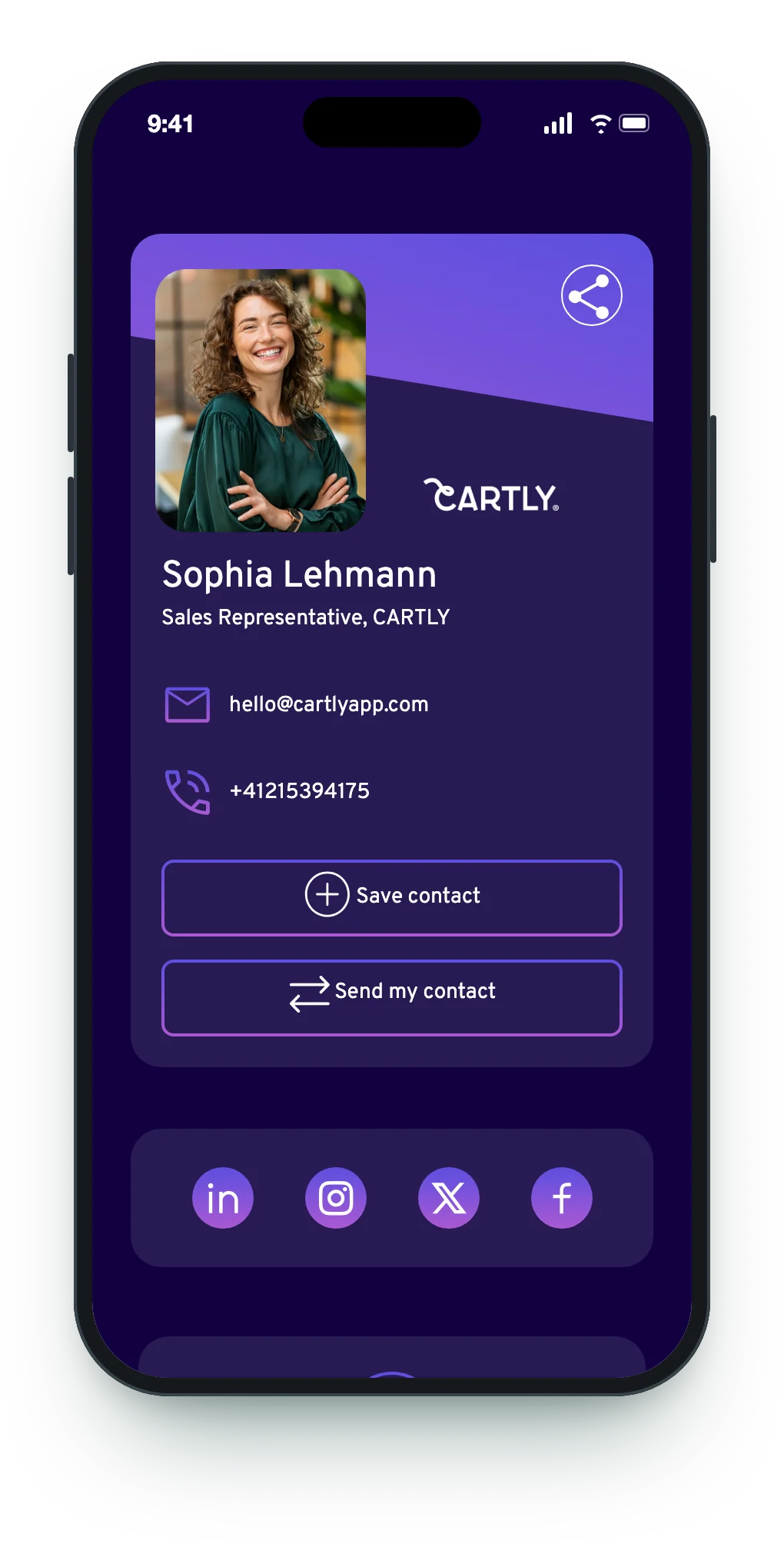
Photo
Your photo, on a template in your colors.
Company logo
Your company logo, on every card in the team.
Name, title and company
What people need to know about you, at a glance.
One-tap contact details
Email and phone open straight in the phone’s apps.
Save contact
Your details go into their address book in one tap (VCF file).
Send my contact
With the Pro and Business plans, your contact sends you their details through a short form.
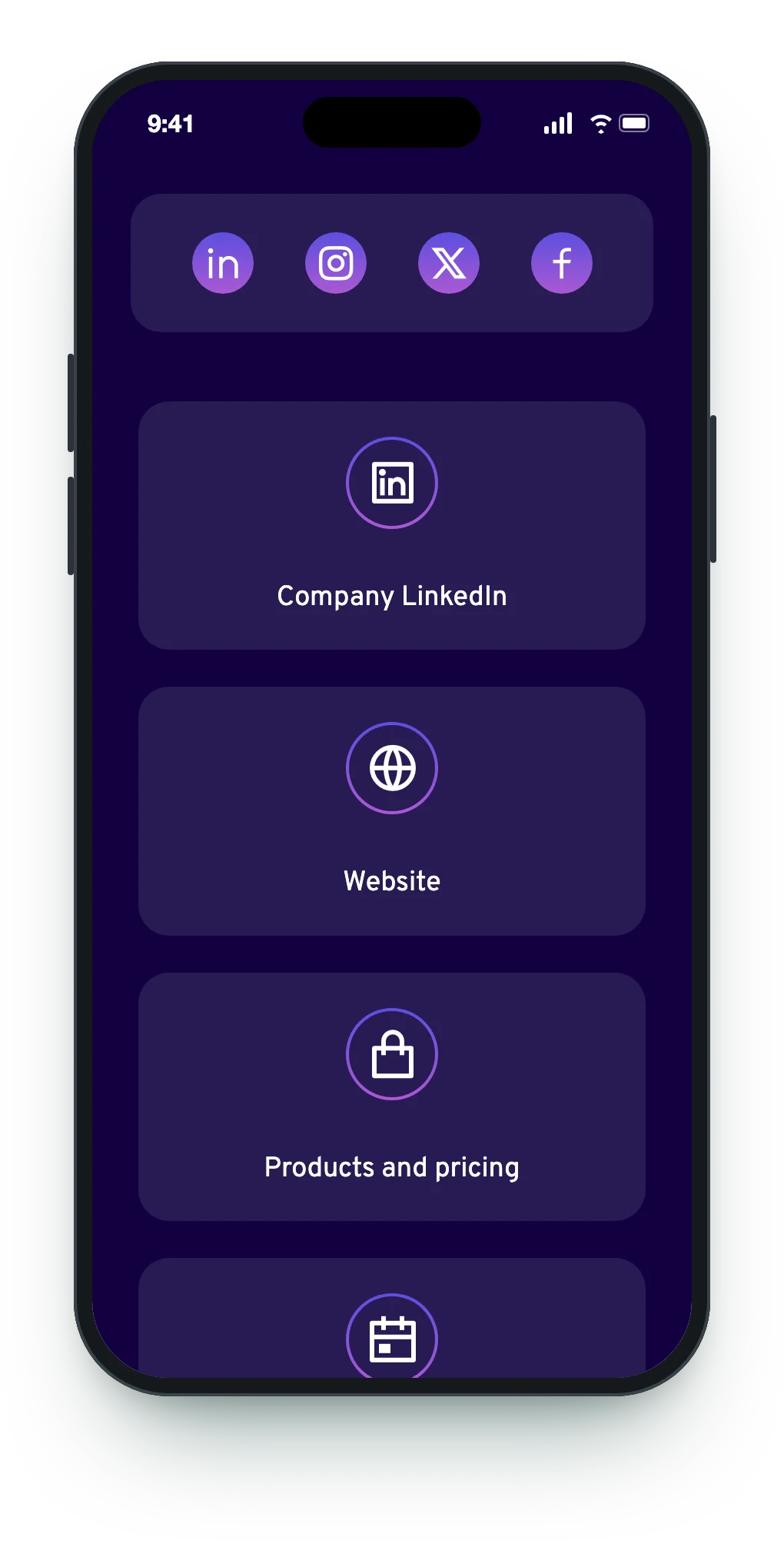
Social networks
LinkedIn, Instagram, X, Facebook and more.
Useful links
Website, meeting booking, pricing, blog: the links your work needs.
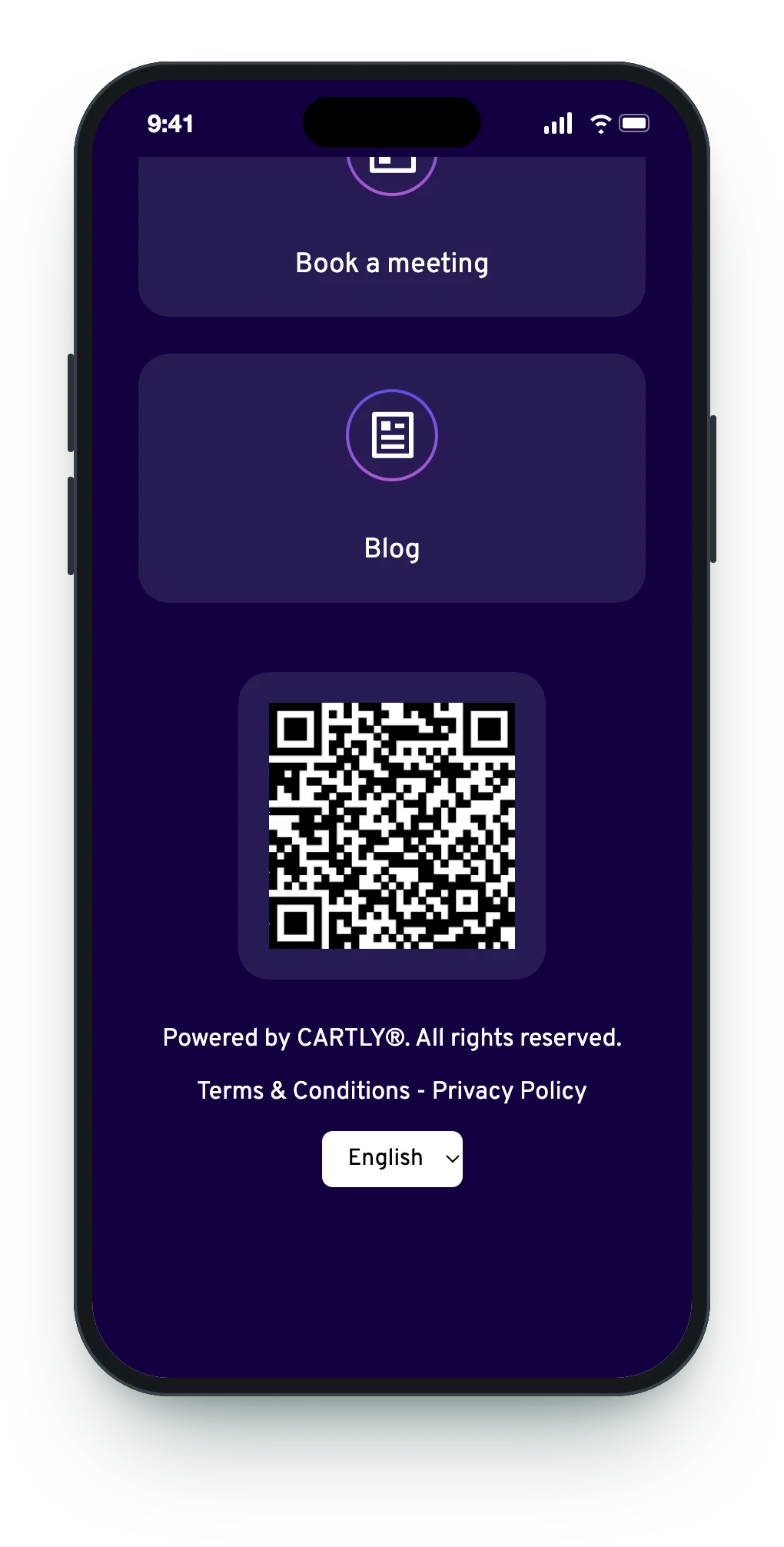
QR code
The card’s QR code, ready to scan.
8 languages
Your contact picks the card’s language.
CARTLY demo card, template 6. Every CARTLY card is built this way; the template, colors and links change.
Share your digital business card anywhere, in one gesture
A paper card is handed over once, in person. A digital business card can be shared wherever you meet people, face to face or remotely.
QR code
Your contact scans it with their phone camera, with nothing to install. Perfect in meetings, on a trade show stand or on the back of a brochure.
Unique link
Paste it into an email, a text message, WhatsApp or your LinkedIn profile.
Apple Wallet and Google Wallet
Your card is always one tap away on your phone, ready to show.
Email signature
Every email you send shares your contact details. Works with Outlook, Gmail and Apple Mail.
Offline QR code
For places with no signal: your details can be saved even without a connection.
One-tap save
Your contacts add you to their address book in one tap, as a vCard (VCF). No more mistyped numbers.
Always up to date, never reprinted
New number, new job title, new logo: update your card in under a minute. The change is visible right away to everyone who has your link or QR code, including people who received it six months ago.
No boxes of outdated cards, no reorders, no plastic. One card stays with you throughout your career.

Collect your contacts’ details too
A paper business card only works one way. With CARTLY Pro and Business, the person viewing your card can send you their details in return. All your new contacts are in one place: export them as CSV, VCF or Excel, or sync them to your CRM via Zapier (HubSpot, Salesforce, Zoho CRM and more).
You also see how your card performs: views, QR code scans, clicks on your details and contact exchanges, in real time.

One card, eight languages
Working with clients in Switzerland, Germany, France or further afield? Your CARTLY digital business card is available in 8 languages, with automatic translation (Pro and Business plans). Everyone reads it in their own language, and you never manage several versions. Discover multilingual cards
Free or Pro digital business card: which one do you need?
The Starter plan is free for one card, with no time limit. The Pro plan adds custom design, contact exchange, analytics, Apple and Google Wallet, email signatures and team management. Try Pro free for 30 days.
| Feature | Starter | Pro | Business |
|---|---|---|---|
| Price | Free | From €30 per card per year | Degressive pricing |
| Number of cards | 1 | 1 to 30 | 31 and more |
| QR code and link | Online QR code + link | Online + offline | Online + offline |
| Contact exchange | – | Yes + CRM-compatible export | Yes + CRM-compatible export |
| Analytics | – | Yes | Yes |
| Apple / Google Wallet | – | Yes | Yes |
| Email signature | – | Yes | Yes |
| 8 languages + translation | – | Yes | Yes |
| Team management | – | Teams, admins, permissions | + bulk creation and updates |
Digital, NFC or paper business card: which is best?
All three pass on your contact details, but they don’t cost the same over time.
| Criterion | Paper card | NFC card | CARTLY digital card |
|---|---|---|---|
| Getting started | Printing and delivery | Order and delivery | Instant, online |
| New job title or number | Reprint | Profile can be edited; new card if the design changes | Instant update |
| New team member | New order | New card to produce | Card created in minutes |
| Sharing remotely | Impossible | By link | Link, email, signature, Wallet |
| How the recipient reads it | Typing it in by hand | NFC-compatible phone | Any smartphone camera |
| Tracking | None | Depends on the provider | Views, scans, clicks, contacts |
| Physical medium | Paper | Plastic, wood or metal | None: your smartphone |
Equipping a whole team?
CARTLY manages every card in your organization from a single dashboard: one template per team, locked fields that protect your brand guidelines, and access sent automatically by email to every team member. Someone joining or leaving takes a few clicks, with no order and no delivery.
Included in the Pro trial: up to 30 team members, multiple administrators, team permissions, automated onboarding. See team management
Digital business card FAQ
What is a digital business card?
It’s a web page with your professional contact details that you share by QR code, link, Wallet or email signature. Unlike a paper card, you can update it at any time. To learn more, read our guide What is a digital business card?
Is a CARTLY digital business card really free?
Yes. The Starter plan is free for one card, with no time limit: your details, your links, a QR code and a shareable link. Advanced features (contact exchange, analytics, Wallet, email signature, custom design, 8 languages) are part of the Pro and Business plans; the 30-day Pro trial lets you test them, with no credit card.
How do I create a free digital business card?
Create your free CARTLY account (Starter plan, one card), add your contact details, photo and links, then share your card by QR code or link. It takes a few minutes.
Do my contacts need to install an app?
No. Your card opens in their smartphone’s browser. They scan the QR code with their camera and save your details in one tap.
How do I add my digital business card to Apple Wallet or Google Wallet?
With the Pro and Business plans, add your card to Apple Wallet or Google Wallet from your CARTLY account. It then sits on your phone, ready to show, like a boarding pass.
Can I share my card without an internet connection?
Yes. The offline QR code (Pro and Business plans) lets your contact save your details even when there’s no signal, for example in a trade show hall or a basement.
Can I add my digital business card to my email signature?
Yes, with the Pro and Business plans. CARTLY generates an email signature from your card, compatible with Outlook, Gmail and Apple Mail. As a live picture, your signature links to your up-to-date card, and its QR code always opens it.
Do I need an NFC card to have a digital business card?
No. Every smartphone reads a QR code with its camera, with no extra hardware. Your card can also be shared by link, email or Wallet, which a physical card can’t do.
Digital, virtual or electronic business card: what’s the difference?
There is none. A digital business card, a virtual business card and an electronic business card are the same thing: a paperless business card you open on a smartphone. You may also see it called an e-business card or an online business card.
How does a digital business card with a QR code work?
Every CARTLY digital business card has its own QR code. Your contact scans it with their phone’s camera: the card opens in their browser, with no app, and they save your details in one tap. With the Pro and Business plans, the QR code also appears on your Apple Wallet or Google Wallet pass and in your email signature.
Is CARTLY GDPR compliant?
Yes. CARTLY is a Swiss company, compliant with the GDPR, and has appointed a GDPR representative in the European Union. Read our GDPR checklist for DPOs.
Is there a CARTLY app?
No, and you don’t need one: CARTLY runs in the browser, on your phone and on your computer, with nothing to install and no app store. Your card can sit on your phone’s home screen like an app, with your photo as its icon, and, with the Pro and Business plans, in Apple Wallet and Google Wallet.
Your digital business card is waiting
Create it now and share it at your next meeting.